
Tutorial 1: Introduction to UX Design
Workshop Scenario:
Place yourself in the following scenario as you work through this tutorial.
Congratulations! 24/7 Teach has invited you to interview for a user experience (UX) design position. The role requires someone with strong problem-solving abilities and a deep understanding of UX design. Because 24/7 Teach knows that good UX design requires an understanding of user interface (UI) design, they are seeking a candidate who:
Possesses strong UX technical skills and knowledge
Understands the role UI design plays in achieving high-quality user-centered design
Your objective for today is to:
Understand the difference between UX Design and UI Design
Describe the role UX & UI designers play in shaping the user experience of digital products.
Important Questions to Answer While Reading:
To be successful in this tutorial, you need to be able to answer these important questions.
How are UX and UI design similar and different?
Why is it important and even beneficial for UX designers to understand UI design?
What is UX Design?

User experience (UX) design is the process of designing practical, efficient, highly usable, inclusive, and enjoyable experiences for people. In the context of UX design, this typically relates to digital product experiences—meaning mobile apps and websites. To put it even more simply, UX design is the process of designing great digital product experiences that work well for the people who use those products.
So, what do UX designers do? UX designers are empathetic critical thinkers and creative problem solvers who:
Take the time to understand what people need in a digital product experience
Identify problems and pain points in the user experience
Design to meet users’ needs and solve identified problems and pain points
Design in ways that also meet business needs and constraints
Test and iterate on their designs to ensure that the experience continuously evolves to meet users’ needs, even as those needs change.
In short, because you’ll learn more throughout the course, this means that UX designers spend their time:
Conducting user research
Synthesizing their research and extracting actionable insights
Meeting with stakeholders to understand their priorities and any constraints that affect the project designer
A Comparison Between UI and UX Design
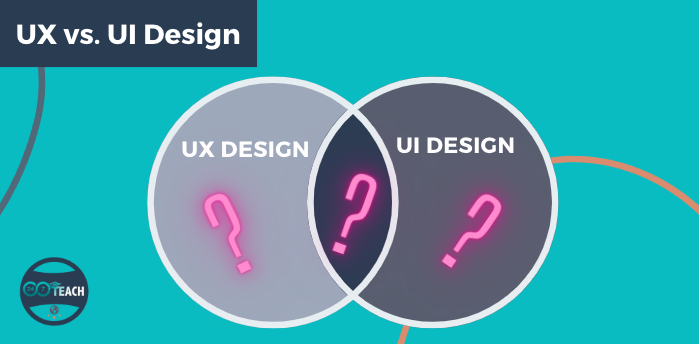
What’s the difference between user experience (UI) and user interface (UX) design, and how do they work synergistically toward developing great user-centered design? While this course focuses on UX design, it’s essential to understand the differences and similarities between UI and UX design and how they work together toward developing a high-quality, responsive design for users. UI and UX design are often confused and conflated terms when discussing the user design of digital products. They are usually placed together in a single term, UI/UX design, and because of this, they seem to describe the same thing. To ensure you understand the two roles clearly, you’ll find a delineated description below of the work UI and UX designers do and their respective roles in developing digital products.
The user interface (UI) is the graphical layout of an application. It consists of the buttons users click on, the text they read, the images, sliders, text entry fields, and all the other items the user interacts with. This includes screen layout, transitions, interface animations, and micro-interaction. Any visual element, interaction, or animation that must be designed is the role of a UI designer. They decide what the application will look like and are responsible for choosing color schemes and button shapes — the lines' width and the text's fonts. UI designers create the look and feel of an application’s user interface.
UX stands for user experience. A user’s experience with a digital product is determined by how they interact with it. Is the experience smooth and intuitive, or clunky and confusing? Does navigating the app feel logical, or does it feel arbitrary? Does interacting with the app give people the sense that they’re efficiently accomplishing the tasks they set out to achieve, or does it feel like a struggle? User experience is determined by how easy or difficult it is to interact with the user interface elements that the UI designers have created.
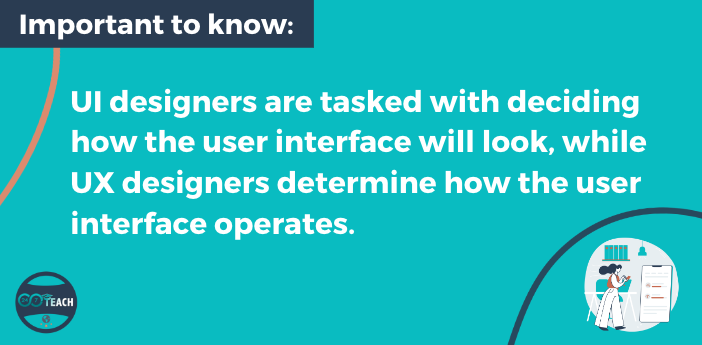
In short, UI designers are tasked with deciding how the user interface will look, while UX designers determine how the user interface operates. However, both center the user in their design decisions.
Why Should Businesses care about good UX & UI Design?
The primary goal of any business is to increase its sales and grow. UX/UI design plays an essential role in realizing this goal. The UX/UI design of a digital product improves user experience and customer satisfaction which ultimately helps increase the popularity of the business’s product.
Good UX and UI design are crucial for start-ups and small businesses, as first impressions are long-lasting, and the UI and UX design quality can profoundly impact users’ impressions of the business and its brand.
Areas of Specialization Within UX Design
Now that you have a clear understanding of the differences between UX and UI design and their similarities in centering the user in design decisions, let’s take a closer look at what you’ll do as a UX designer to create highly responsive user-centered digital products.
UX Research:
You’ll learn a little more about UX research later in this course, but in a nutshell, it’s all about connecting with the people who use digital products to find out what design problems need to be solved. If you find you enjoy this part of the process, you might be a great UX researcher. UX designers specializing in UX research make an average of $108,500 in the US.
UX Strategy:
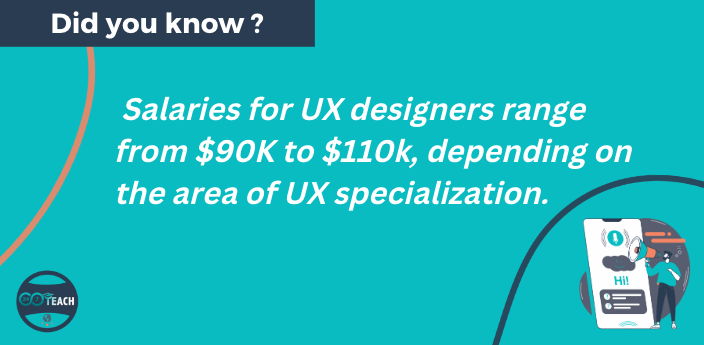
You might consider specializing in UX strategy if you have a knack for business. UX strategists work at the intersection of user-centered design and business strategy, applying UX design principles to broader business strategies to ensure that key business decisions align with what users want and need. The average salary for UX strategists in the US is around $92,000.
UX Writing:
Finally, if you have a way with words and are passionate about the words that live within user experiences, you’ll want to explore UX writing as a specialization. UX writers create the conversation that drives the user experience forward, applying UX design principles to the microcopy, text, words, and slogans that users interact with. The average UX writer's salary in the US is around $110,000.
Whew! Now you’ve got the lay of the land, selecting a UX area of specialization might feel a little overwhelming. There’s no need to decide what UX specialized knowledge and skills you want to develop now. That can come later. Our first goal is to ensure you understand foundational UX design principles and skills; this begins with the design thinking process. In the subsequent tutorials, you’ll delve deeper into each stage of the design thinking process and have an opportunity to apply what you have learned to real scenarios you may find yourself in as a UX designer.
The 5 Stages of the Design Thinking Process
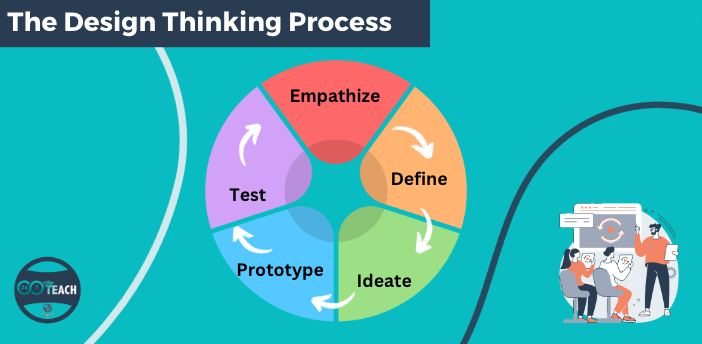
What is the design thinking process, and how does it work? Design thinking is both an ideology and a process that places people at the center of product design and seeks to solve complex problems in user-centric ways. Placed more specifically in the domain of UX, design thinking is the approach UX designers take to find and test creative solutions to practical problems. As a UX designer, your goals in taking this approach are to:
Keep your focus as user-centric as possible
Understand which problems need to be solved
Look at those problems in new ways, embracing some ambiguity as the answers won’t always be clear
Design and re-design to meet user needs
Make tangible designs before they’re implemented to see and test how they’ll actually work for users
With all this in mind, we’re ready to explore the five stages of the design thinking process. For now, this will be a simplified overview— remember, we’ll dig deeper into each stage in subsequent tutorials. You’ll also have the opportunity to put what you’ve learned in each tutorial to use by applying what you’ve learned in different UX design scenarios, completing the corresponding exercises, and by responding to guiding questions and discussions.
The Design Thinking Process:
1. Empathize -
In the first stage of the process, the UX designer connects with product users (or potential users) to understand their needs and goals and to get a sense of what problems or pain points could use some design thinking magic to solve. Much of this stage consists of UX research—user interviews, surveys, and other forms of research to help generate user-centered data.
2. Define -
The second stage of the process is all about organizing the research results, sorting through the data, and looking at it from various perspectives. The goal is to identify patterns and actionable insights that will help the UX designer to formulate solutions. This is where things like affinity diagrams, user personas, and journey maps come into play—among other key deliverables. The goal of this stage is to clearly define which problem(s) to focus on for the time being.
3. Ideate -
In the ideation stage, or quite literally the thinking stage, UX designers develop as many ideas as possible to solve the problem they’ve defined. They might use several ideation methods to accomplish this (and we’ll explore some of those in Tutorial 3), but the goal is to ideate without too many constraints or filters—no idea is a bad idea.
4. Prototype -

In the fourth stage of the process, the UX designer turns the top idea(s) into reality—to a certain extent. This stage aims to create a working model (known as a prototype) of the idea to see how it will operate and to work out any significant issues in the design before moving forward.
5. Test -
Finally, the UX designer tests the prototype with users. In this stage, UX designers have an opportunity to understand whether the solution meets users’ needs the way they intended it to. They will also be able to see if there are any aspects of the problem they’ve overlooked and discover if the solution creates any new issues to be resolved. However, this isn’t where the process ends. In its truest form, the design thinking process is recursive and iterative—meaning that it repeats itself many times and that often stages won’t always be followed in this particular order.
For example, let’s say you’re working on a meditation app. You’ve already done user research, defined the problems that you’ll solve, came up with some great ideas, and prototyped them. In the testing stage, you realize that the solutions you’ve come up with don’t entirely solve users’ pain points the way you thought they would—or maybe the solutions have illuminated other goals or pain points. Technically, you’ve completed the design thinking process, but you’re not likely to check it off and consider the product “done.” Instead, you’ll do a little more research and ideation to fine-tune your ideas.
UX designers can return to each stage as needed as they learn how their designs work for their users.
Course Overview (What’s Coming Next)
This course follows the design thinking process. In each tutorial, you’ll tackle one or two stages of the design thinking process, with the end goal being the creation of a mid/high-fidelity webpage prototype. If that sounds like a lot of work, don’t worry! We’ve broken down all the necessary steps towards designing a mid/high-fidelity webpage prototype into small scaffold exercises. Each tutorial builds on the skills and knowledge from the previous tutorials. As you work through the course, you’ll gain fundamental knowledge and skills that will prepare you to successfully achieve the workshop goal.
In the Next Tutorial, You Will:
Learn how to develop empathy and define UX problems.
Tutorial 1 - Self Assessment & Checks for Understanding
Directions:
Answer the following questions below to self-assess your understanding of this tutorial.
Tutorial 1 - Self Assessment Questions:
How are the roles of UX and UI designers similar?
How are the roles of UX and UI designers different?
Tutorial 1 - Discussion Question:
Directions:
Post your response to the discussion question in the comments section below.
Please explain why it is important for UX designers to understand UI design and discuss how UI design supports good UX design.