
In this lesson, you will…
Explain best practices for protecting personal and student data, such as creating strong passwords and enabling Multi-Factor Authentication (MFA).
Create a secure password that meets industry standards.
INTRODUCTION
Why School Staff Are Often Targeted
In many schools, passwords are kept simple so everyone can remember them:
Eagle2024
LincolnStaff1
GoTigers!
Industry standards set the following criteria for strong passwords:
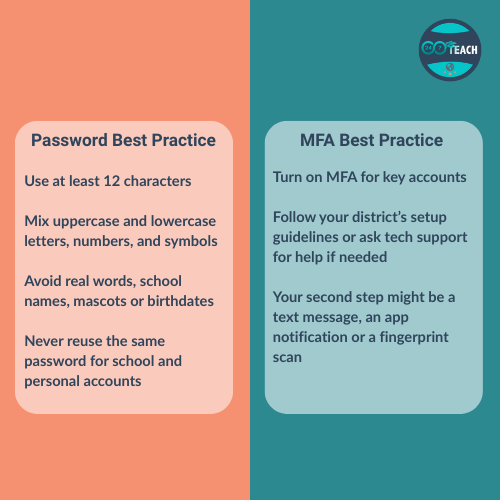
At least 12 characters
Mix of uppercase, lowercase, numbers and symbols
Avoid real words, school mascots, pets, birthdays or other identifiable information
Do not reuse passwords for multiple accounts
ACTIVITY READING
What is a Strong Password?
Definition:
A password is like the key to your house, it should be strong enough to keep out strangers.
Imagine giving every staff member the same key to every classroom.
If one key is lost, every room is at risk. A weak password is like handing out that universal key.
 Click to enlarge. [/caption]
Best Practice for Strong Passwords
The strongest passwords are 12-16 characters long and alphanumeric.
Using a reliable password manager can give you the security and storage you need to create and remember strong passwords.
PAUSE TO PROCESS

Take a moment to evaluate your risk level based on your password practices.
When you are ready, click the button to begin the activity.
REVISITING THE READING
Strengthening Your Security
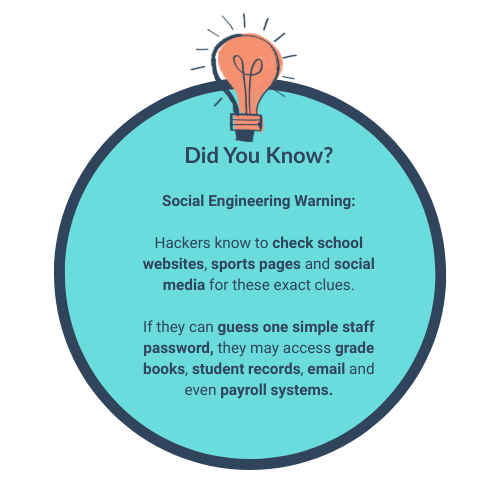
Social engineering is about using what people share publicly to guess passwords, send fake emails or trick staff into giving away access.
It is becoming increasingly more common for weak passwords to be the entry point of a cyberattack.
Enabling Multi Factor Authentication adds a second layer of security and makes it harder for hackers to access your information.
Definition:
Multi-factor authentication means you need two or more pieces of proof to log in, not just a password.
 Click to enlarge. [/caption]
SHOW WHAT YOU KNOW
In this next activity, you will apply your knowledge of secure password practices by creating a password that aligns with strong password criteria.
Remember, sharing your password even with a trusted friend or colleague puts everyone at risk so do not include any details of your password within this course.

JOIN THE CONVERSATION
Reflect on your current password practice based on your risk level.
Can you summarise how the practices you have read about today help protect personal and student data?